Farm apps are mobile and desktop tools that help small farms map fields offline, send task alerts, and log simple data. They matter because dependable offline mapping and timely alerts keep operations running when internet is unreliable, improving decisions and labor efficiency. To start, choose apps that support offline maps, local data storage, and easy synchronization when connectivity returns.
Many smallholders face unpredictable connectivity, limited budgets, and the need for straightforward recordkeeping. Farm apps designed for offline mapping and alerts solve these challenges by providing GPS-based field boundaries, task reminders, and compact data logging without constant internet. This article reviews budget-friendly farm apps that work offline, explains syncing options, and highlights features that boost daily farm efficiency.
Below we cover practical app recommendations, setup tips for offline maps, synchronization strategies, and workflows for livestock, crops, and equipment management. Expect comparisons, real-world scenarios, and links to trusted sources to help you choose the right farm apps for your operation.
Offline mapping in farm apps means downloading satellite and topographic tiles to your device so you can view fields without service. Look for apps supporting MBTiles, GeoPackage, or proprietary offline packs; these formats keep imagery and vector boundaries available during fieldwork. Good offline base layers let you draw and edit field boundaries, mark features like fences or water points, and plan routes ahead of time.
When preparing offline maps, download tiles at the right zoom levels to balance detail and storage. Higher zoom offers precision but consumes space. Test map viewing and GPS accuracy in airplane mode to confirm the app reads the device GPS without network assistance. Reliable coordinate systems and datum settings reduce boundary shifts when syncing later.
For long-term use, automate offline map updates before seasonal tasks. Combine satellite imagery with elevation or soil maps if the app permits layering. This provides context for irrigation planning, access route decisions, and spotting problem areas even when offline.
Field Boundary Creation and Editing Workflows
Creating accurate field boundaries offline requires tools that accept GPS tracks and manual digitizing. Start walks or tractor drives along perimeters to record GPX tracks, then convert them to polygons inside the app. Many farm apps permit snapping to existing points and smoothing to remove GPS jitter. Save drafts locally so changes aren’t lost if connectivity drops.
Editing workflows should include versioning or simple backups, exporting to common formats like KML, GeoJSON, or shapefiles. This interoperability lets you bring field boundaries into desktop GIS or share with contractors. Always label fields with crop, season, and area to speed later searches and reporting.
When syncing, reconcile edits using timestamps and reliable user IDs to avoid overwriting critical updates. Some apps handle merge conflicts automatically by creating duplicates for review; others require manual reconciliation. Choose an app with a conflict resolution approach that fits your team’s digital skills.
Anúncios
Accuracy, GPS Hardware, and Augmentation
GPS accuracy affects mapping quality: smartphone GPS is fine for small gardens and rough boundaries, while RTK or external GNSS receivers provide centimeter precision for precision agriculture. Farm apps that support Bluetooth GNSS receivers can significantly improve boundary accuracy and guidance for equipment. Consider combined use: smartphones for quick checks and external receivers for planting or contour operations.
Augmentation services like SBAS or network RTK enhance positioning where supported. Evaluate compatibility between your receiver and the farm app—common standards include NMEA and Bluetooth LE. A modest budget external receiver paired with an app that accepts external GPS dramatically upgrades mapping reliability.
When high precision isn’t required, focus on repeatable workflows: always collect boundaries in consistent conditions, record multiple passes, and use smoothing tools. These practices reduce errors and improve the usefulness of offline maps for planning and reporting.
Anúncios
Task Alert Farm Apps for Operations
Setting Up Task Alerts and Reminders
Task alerts in farm apps notify workers of spraying windows, livestock checks, or irrigation runs. Configure alerts with clear actions, due dates, and responsible users so everyone knows priorities. Apps with push notifications, SMS fallback, or local alert queues work well when connectivity is intermittent; alerts can trigger locally and sync later.
Define tasks with actionable steps and estimated duration
Assign tasks to specific users or teams with contact details
Set priority levels and repeat schedules for routine chores
Include location tags (field or plot) for quick navigation
Create templates for common routines—feeding, milking, pest scouting—so repeated jobs are easy to schedule. Use checklists within task alerts to standardize processes and make logging discrete steps faster in the field.
Offline Notification Behavior and Local Queuing
When internet is absent, well-designed farm apps queue notifications locally and display them based on device time or GPS triggers. Some apps support geofenced alerts that activate when a worker nears a field, which is helpful for site-specific tasks. Ensure your chosen farm app can store notification history locally until it can sync with a central server.
Local queuing reduces missed alerts from coverage gaps. Test behavior by putting devices in airplane mode and creating tasks to verify they trigger as expected. Confirm that alerts include necessary context—task details, images, and links to offline maps—so workers can act without immediate online resources.
Also check how the app handles missed or overdue alerts after syncing; it should notify supervisors and allow reassignment. This preserves accountability and prevents tasks from slipping between cracks when connectivity resumes.
Integration with Equipment and Sensors
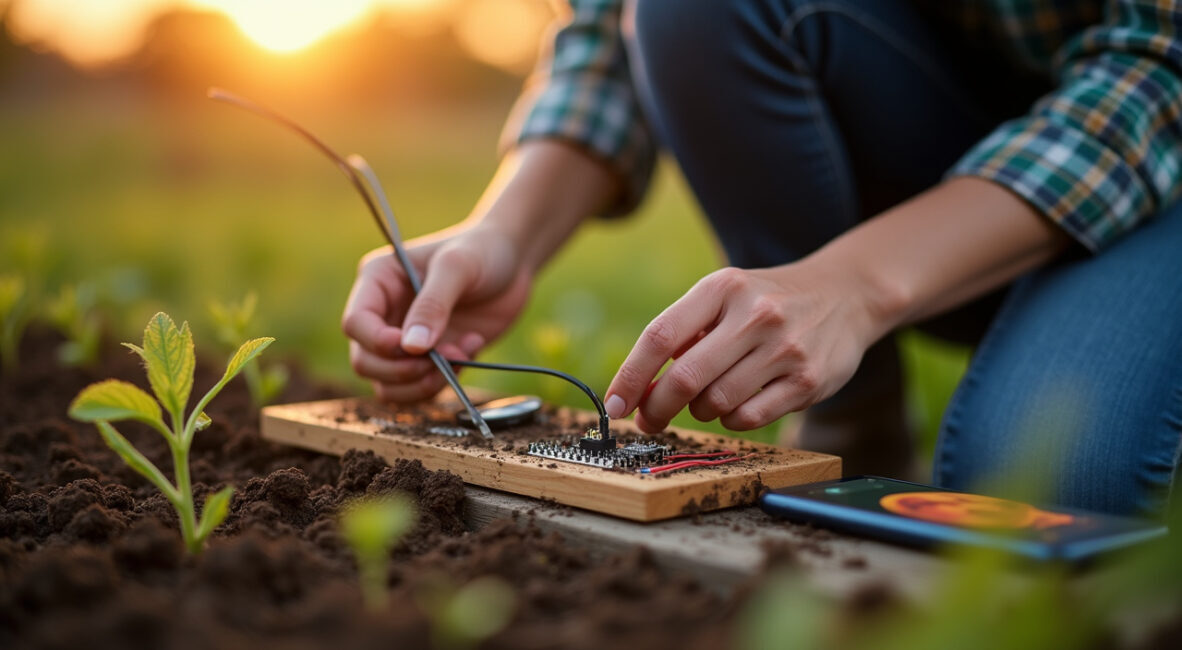
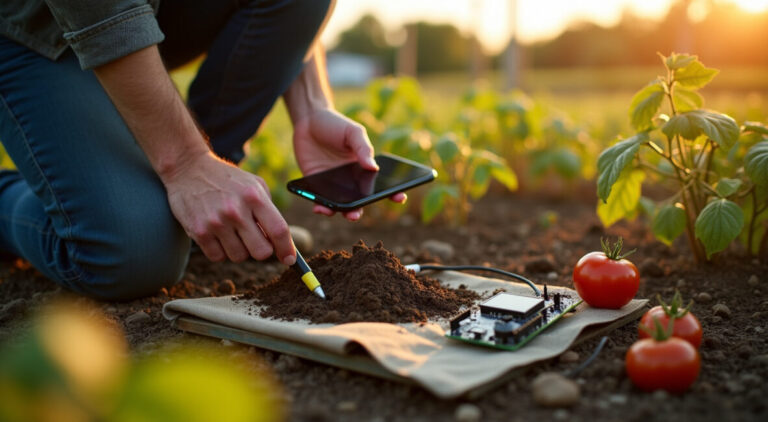
Task alerts gain power when integrated with farm sensors and machinery. Soil moisture probes, weather stations, and IoT gateways can trigger automatic alerts for irrigation or frost protection. Choose farm apps offering API hooks or built-in integrations to receive sensor data and generate actionable alerts for on-site teams.
Integration reduces manual monitoring and helps prioritize responses. For example, a soil sensor drop below a threshold can create a task alert to run irrigation, with attached field map and estimated water volume. Ensure the app supports secure authentication and data buffering when gateways lose connectivity.
Finally, consider how equipment telematics sync with task systems: tractors reporting completed passes can auto-close tasks, improving record accuracy. This level of automation boosts efficiency but requires compatible hardware and conservative data plans for occasional syncing.
Simple Data Logging Farm Apps
Recording Field Activities and Harvests
Simple data logging captures planting dates, application rates, yields, and labor hours without bulky forms. The best farm apps let you create concise log entries tied to a field, date, and optional photo. Offline-first logging stores entries locally and tags them for sync, preserving records made during long days in the field.
Standardize entries with short picklists and default values to speed logging. Include key data points—crop, variety, rate, personnel—so reports are usable later. For harvests, record area harvested, yield, and moisture where possible to build a season-over-season performance dataset.
Export capability matters: choose apps that export CSV or Excel-compatible logs to analyze yields, input costs, and labor productivity in desktop tools or accounting systems.
Livestock and Herd Records
For small livestock operations, simple animal logs track treatments, weights, births, and movements. Farm apps that support offline entry let you record a vaccine or treatment at the corral and sync later. Tag IDs, dates, and dosing info should be mandatory fields to keep records consistent for audits and herd health planning.
Batch operations—like group treatments—should allow bulk entries to minimize typing. Photos and timestamps enrich records and assist in diagnosing issues later. Searchable animal histories make veterinary consultations more efficient and help detect trends like weight loss or disease outbreaks early.
Backup exports and printable reports are important for compliance and sharing with advisors. Confirm the app offers secure local storage and optional cloud backups to prevent data loss from device failure.
Equipment Maintenance Logs and Inputs Tracking
Maintenance logs for tractors, sprayers, and pumps prevent downtime. A practical farm app enables quick entry of service date, hours, parts used, and next due date, even offline. Tie maintenance to assets and set reminders to schedule service before field seasons to avoid costly breakdowns.
Input tracking captures seed, fertilizer, and pesticide usage per field, helping with budgeting and compliance. Offline logging with later sync ensures accurate application records for audits or certification schemes. Use barcode scanning where available to reduce errors when recording materials.
Combine maintenance and input logs to forecast costs and inform procurement. Regular review of logs highlights recurring issues, enabling strategic equipment investments or vendor changes to improve uptime and reduce operating costs.
Anúncios
Budget-friendly Farm Apps and Pricing
Free and Low-cost App Options
Budget-friendly farm apps offer core features—offline maps, task alerts, and simple logging—without high subscription fees. Free tiers often support basic offline map downloads and limited users, while paid plans unlock team collaboration and larger storage. Evaluate whether the app supports export and external GPS compatibility before committing.
Open-source or community-supported apps can be cost-effective for farmers comfortable with some setup and occasional troubleshooting. Commercial apps may offer trials or seasonal pricing aligned with planting cycles to reduce yearly costs. Compare total cost of ownership, including any necessary GNSS hardware or cloud storage.
When choosing, prioritize apps that scale with your operation: begin with a free or low-cost plan and upgrade as your needs grow. This reduces upfront spending while keeping access to essential offline functionality and alerting features.
To save costs, combine free mapping apps with a single mid-range external GNSS unit shared across devices. Use device-level data compression and schedule syncs on Wi‑Fi to avoid mobile data charges. Favor apps that export standard formats so you can switch vendors without losing historical data.
Consider refurbished tablets with good battery life for field crews and protect them with rugged cases to avoid replacement costs. Open-source tools plus occasional paid integrations (e.g., weather or sensor feeds) let you balance features and budget effectively.
Lastly, negotiate seasonal or farm-size pricing with vendors; many companies are willing to tailor plans to small operations if you demonstrate usage patterns and a multi-season commitment.
Syncing, Backups, and Data Workflows
Strategies for Reliable Synchronization
Effective sync strategies minimize data conflicts and ensure all field updates are preserved. Use a master device or server that acts as the authoritative source, and require timed syncs—end of day or when returning to Wi‑Fi. Apps that support incremental syncs reduce bandwidth by sending only changed records, which is ideal for limited connections.
Implement user-level change logs and timestamps to resolve conflicts. If multiple users edit the same record offline, prefer apps that create change histories rather than silently overwriting entries. Regularly audit sync logs to confirm successful transfers and resolve errors promptly.
Automated backups to external storage or cloud services add redundancy. Schedule weekly full backups and daily incremental backups when possible. This prevents data loss from device failure and supports audit trails for certifications or grants.
Local Backups and Recovery Plans
Local backups are critical when internet is scarce. Encourage field teams to export daily logs to device storage and copy to SD cards or USB drives. Maintain a rotation of backups across devices to reduce single-point failures. Keep a simple recovery checklist so staff can restore the app from backup with minimal downtime.
For critical operations, maintain a physical logbook as a fallback—record key events, medication doses, or yield estimates by hand and transfer them to the app at the next sync. This hybrid approach ensures continuity during extended outages or hardware loss.
Test recovery procedures periodically: simulate device loss and restore from backup to validate that field data, maps, and alerts reappear intact. These rehearsals shorten actual recovery time during real incidents.
Data Security and Compliance
Protect farm data by enforcing device locks, app-level passcodes, and encrypted backup files. For apps with cloud sync, verify encryption in transit and at rest. Limit user permissions, granting edit rights only to trusted staff to prevent accidental deletions or malicious changes.
Compliance matters for pesticide records and certifications. Choose apps that retain immutable logs or provide exportable audit trails. Securely store any personal data per local regulations and minimize unnecessary data collection to reduce liability.
Regularly update devices and apps to patch vulnerabilities, and keep an inventory of authorized devices. These practices reduce the risk of data breaches and maintain trust with buyers, advisors, and regulators.
Field Workflows: Crops, Livestock, and Mixed Farms
Crop Scouting and Treatment Workflows
Design crop workflows that combine quick offline maps, checklists, and photo logs. Scouts should record pest observations with a timestamp, estimated severity, and treatment recommendations. The app should attach these notes to the field and queue alerts for responsible spray teams when conditions warrant action.
Use simple severity scales and prefilled treatment options to reduce entry time. Geotagged photos and sample points help agronomists make remote decisions. After treatments, log chemical batch numbers and rates to maintain traceability for audits and reduce rework.
For recurring scouting, create templates and recurring tasks to maintain consistent coverage across the season. Sync results nightly to aggregate insights and adjust strategies promptly.
Livestock Routines and Grazing Plans
Offline-capable farm apps support grazing plans by storing paddock boundaries, rotation schedules, and supplementation plans. Stocking rate notes and pasture condition photos help adapt rotations based on forage availability. Alerts can notify when paddocks need rotation or when animals are due for checks.
Mobile entry of weights, treatments, or breeding records keeps herd data current. For transhumance or remote grazing, ensure the app retains data locally and can function without network access for extended periods before syncing later.
Combine grazing plans with weather and forage growth estimates to optimize moves. Even simple logs improve decision-making and reduce overgrazing risks on small mixed farms.
Combining Workflows for Mixed Operations
Mixed farms benefit from unified workflows where crop and livestock records coexist. Use field tags to separate crop plots from pastures and link animal movements to paddock maps. Apps that support multi-asset management simplify scheduling of both fieldwork and livestock tasks without switching platforms.
Create cross-functional alerts—for example, a cover crop seeding task that also triggers a grazing exclusion alert. This coordination prevents conflicts and ensures timely actions across farm enterprises. Export combined reports for cost allocation and profitability analysis.
Standardize naming, tags, and templates across the farm to maintain clarity. A single consistent dataset reduces errors, eases training for staff, and streamlines seasonal planning for mixed operations.
Apps Ecosystem and Integrations
APIs, Third-party Integrations, and Sensors
Many farm apps offer APIs or connectors for weather feeds, soil sensors, and supply chain tools. Integrations enable automatic alerts—such as frost warnings from weather services or moisture-triggered irrigation tasks from soil probes. Prioritize apps with documented APIs and active developer communities for future scalability.
Third-party integrations extend value: accounting systems for cost tracking, marketplace platforms for selling produce, and advisory services for agronomy. Ensure data formats are standard (CSV, JSON) and that the app supports scheduled exports for downstream analysis.
Test integrations in a sandbox environment before full deployment. Reliable connectors reduce manual data entry and make farm operations more responsive to real-time conditions without increasing field complexity.
Pick apps with active maintenance, clear roadmaps, and community support to ensure long-term viability. Check for regular updates, transparent pricing, and responsive support channels. Apps tied to open standards or with exportable data are safer bets if providers change their business models.
Engage with user forums, local ag extension services, or farmer cooperatives to learn from peer experiences. Real-world feedback can reveal hidden costs, hardware compatibilities, and practical limitations that vendor pages may omit.
Ultimately, prioritize tools that reduce daily friction, keep data accessible, and integrate smoothly with existing farm workflows—this preserves value across seasons and protects your investment.
Farm apps that support offline mapping, task alerts, and simple logging transform small-farm operations by enabling reliable fieldwork despite intermittent connectivity. This article compared mapping methods, alert strategies, syncing workflows, and budget approaches to help you choose practical tools. Start by testing one app in a single workflow—scouting, milking, or maintenance—and expand as confidence grows.
Invest in reliable backups, a modest external GPS if needed, and clear templates for logging. farm apps can reduce errors, save time, and improve decision-making. Try one recommended app, run a seasonal trial, and compare results to justify wider adoption.
FAQ
Which Farm Apps Work Best Without Constant Internet?
The best offline-capable farm apps are those that allow local map downloads (MBTiles/GeoPackage), local data queuing, and sync when online. Look for apps like QField or open-source mapping clients for free offline maps, and choose commercial apps offering robust local storage for tasks and logs. Test in airplane mode to confirm GPS and logging behavior.
How Does Data Synchronization Work for Offline Entries?
Offline entries are stored locally with timestamps and user IDs, then uploaded during the next sync. Good apps use incremental syncs to minimize bandwidth and maintain change histories to resolve conflicts. Establish sync schedules (end of day or on Wi‑Fi) and ensure backups before large merges.
Can I Use External GPS Receivers with These Apps?
Yes. Many farm apps accept Bluetooth GNSS receivers for improved accuracy. Ensure the app supports NMEA output or Bluetooth LE and check compatibility lists. External receivers boost boundary precision, enabling better mapping and guidance without continuous connectivity.
What Features Truly Boost Daily Farm Efficiency?
Features that increase efficiency include offline maps, geotagged photo logs, queued task alerts, quick templates for entries, and integration with sensors or equipment telematics. Standardized workflows and easy exports to accounting systems also streamline decisions and reporting across operations.
How Can Small Farms Minimize Costs When Adopting Farm Apps?
Start with free or low-cost apps, share a single external GNSS unit across devices, use refurbished tablets, and schedule syncs on Wi‑Fi to limit data charges. Favor apps with exportable data to avoid vendor lock-in and negotiate seasonal pricing or farm-size discounts when possible.
Anúncios
Teste Gratuito terminando em 00:00:00
Teste o ArtigosGPT 2.0 no seu Wordpress por 8 dias
Edvânia Almeida. Formada em Ciências Contábeis e Pós-graduada em Gestão Financeira: Auditoria e Controladoria pela FGV. Pequena pecuarista e apaixonada pelo Agronegócio e Gestão Estratégica.
Para fornecer as melhores experiências, usamos tecnologias como cookies para armazenar e/ou acessar informações do dispositivo. O consentimento para essas tecnologias nos permitirá processar dados como comportamento de navegação ou IDs exclusivos neste site. Não consentir ou retirar o consentimento pode afetar negativamente certos recursos e funções.
Funcional
Sempre ativo
O armazenamento ou acesso técnico é estritamente necessário para a finalidade legítima de permitir a utilização de um serviço específico explicitamente solicitado pelo assinante ou utilizador, ou com a finalidade exclusiva de efetuar a transmissão de uma comunicação através de uma rede de comunicações eletrónicas.
Preferências
O armazenamento ou acesso técnico é necessário para o propósito legítimo de armazenar preferências que não são solicitadas pelo assinante ou usuário.
Estatísticas
O armazenamento ou acesso técnico que é usado exclusivamente para fins estatísticos.O armazenamento técnico ou acesso que é usado exclusivamente para fins estatísticos anônimos. Sem uma intimação, conformidade voluntária por parte de seu provedor de serviços de Internet ou registros adicionais de terceiros, as informações armazenadas ou recuperadas apenas para esse fim geralmente não podem ser usadas para identificá-lo.
Marketing
O armazenamento ou acesso técnico é necessário para criar perfis de usuário para enviar publicidade ou para rastrear o usuário em um site ou em vários sites para fins de marketing semelhantes.
 Ir para o conteúdo